Packing Slip Template
A handy excel packing slip template for your business - by Alex Bejanishvili | Updated 9/3/2020The Packing Slip template is designed as corresponding document for our sales invoice and purchase order templates. The businesses would usually include packing slip with every shipment to indicate the amount of goods in containers or boxes. It is also very common to use packing slip for indication of goods that were ordered, but were not shipped. Although it is not a legal requirement to use packing slips in business practise, but using one will never do any harm, can surely minimise accidental mistakes and ease your communication with customers.
Packing Slip
for Excel® 2003+ & Google Docs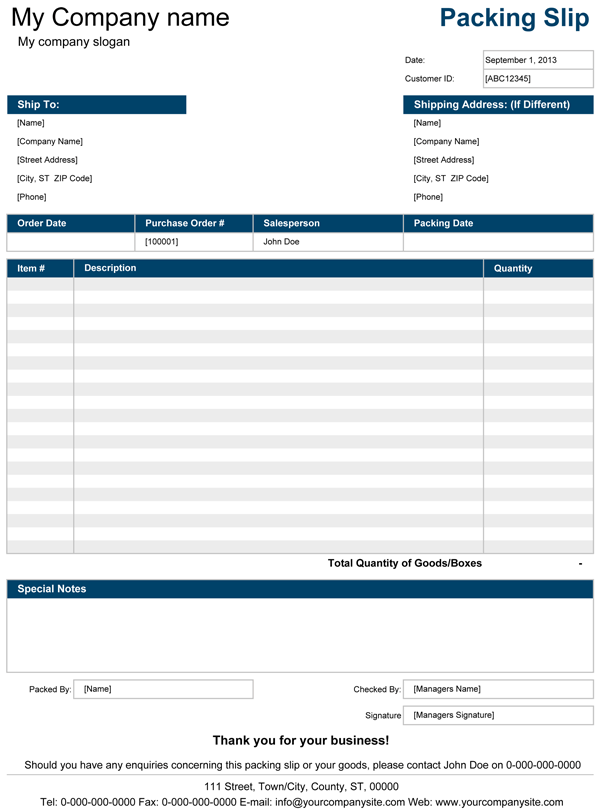
File: XLS
File: XLSX
File: SHEET
1.0.1
Microsoft Excel® 2003 or Higher (PC & Mac)
Not Used
Not Required
Alex Bejanishvili of Spreadsheet123.com
User License Agreement
Contact Us
Using Packing Slip Template in Business
To make customization process simpler, we have used the same traditional design which can be found in many of Spreadsheet123's invoices or corresponding templates.
Most customizations can be performed on the settings tab, which is included into the template. You can customize and use your packing slip without wasting much time and effort. The spreadsheet contains four templates on the separate tabs so that you can have more choice to select from.
Tip: Always create 3 copies of packing slip, keep one for your records and other tow can be send to your customer along with shipment. Your driver can obtain signature upon delivery of goods then return signed copy to your office. Doing so can help you with preparing the invoice for the customer.